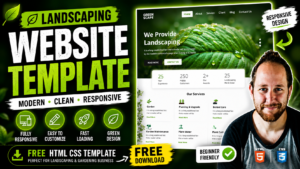
Educational Website Template Design free source code of Educational website template

Date Of Publish 07/11/2023

193 Downloads

A baby care template is designed to assist caregivers, parents, or childcare providers in organizing and managing various aspects of caring for infants and young children. Here’s a description of the key components and features typically included in a baby care template:

The template provides a structured daily schedule for feeding, napping, playtime, and other activities, helping caregivers maintain consistency and routine for the baby. It includes a section to record details of each feeding session, such as the time, quantity, type of feeding (breastfeeding, bottle feeding, solid foods), and any notes about feeding patterns or preferences.

There’s a space to log diaper changes, including the time, type of diaper, and any relevant notes about bowel movements or diaper rash. Caregivers can track the baby’s sleep patterns and duration of naps throughout the day and night, aiding in identifying sleep routines and adjustments.

This section allows caregivers to record any medications administered, including dosage and time, as well as notes on the baby’s health, symptoms, or doctor’s recommendations. The template may include a checklist or space to note the baby’s developmental milestones, such as first smiles, rolling over, sitting up, and other achievements, helping caregivers monitor the baby’s progress.

It provides a place to list emergency contacts, pediatrician’s contact details, allergies, and other pertinent information for quick reference in case of emergencies. Caregivers can jot down any additional notes, reminders, or observations about the baby’s behavior, preferences, or needs to share with other caregivers or parents.

The template may offer customizable fields or sections to adapt to the specific needs and preferences of the caregiver or baby, such as adding additional tracking categories or adjusting the layout. It may be available in printable PDF format for easy offline use or editable digital formats like Excel or Google Sheets for convenient online access and collaboration.

Overall, a baby care template serves as a valuable tool for caregivers to efficiently track and manage essential aspects of infant care, ensuring the baby’s well-being and providing peace of mind for parents and caregivers alike.


Features of our Free Template

  • Daily Schedule
  • Feeding Tracker
  • Diaper Change Log
  • Sleep Log
  • Health and Medication Tracker
  • Developmental Milestones
  • Emergency Contacts and Important Information
  • Notes and Reminders
  • Customization Options
  • Printable or Digital Format

Local Setup Guide

Follow these simple steps to download and run this project on your computer. This guide is beginner-friendly and perfect for students who are learning web development and working on college projects.

Step 1: Download the Project from GitHub
First, open the GitHub repository link of the project.
Click on the Code button and then select Download ZIP to download the project files to your computer.
You can also clone the repository using Git:
git clone https://github.com/rjksharma/project-name.git

Step 2: Extract the ZIP File
If you downloaded the ZIP file, extract it using any file extractor software like:
• WinRAR
• 7-Zip
• Windows Extract Tool
After extracting, open the project folder.

Step 3: Open the Project in VS Code
Download and install Visual Studio Code if you do not already have it installed.
Open VS Code and click on:
File → Open Folder
Select the extracted project folder.

Step 4: Install Live Server Extension
To run the project smoothly in your browser, install the Live Server extension in VS Code.
How to Install:
1. Open VS Code
2. Go to Extensions
3. Search for Live Server
4. Click Install

Step 5: Run the Project
Inside the project folder, locate the index.html file.
Right-click on index.html and select:
Open with Live Server
Your project will automatically open in the browser.

Step 6: Customize the Website
You can now edit:
• Text content
• Images
• Colors
• Sections
• Buttons
• Layout
All files are beginner-friendly and easy to customize for personal projects, portfolio websites, and college submissions

Requirements
Before running the project, make sure you have:
• A modern web browser (Chrome, Edge, Firefox)
• Visual Studio Code
• Internet connection (optional for fonts/icons)

Troubleshooting
If the project is not opening properly:
• Make sure all files are extracted correctly
• Check that index.html exists in the root folder
• Try reopening the project in VS Code
• Ensure Live Server is installed properly

Final Note
This free project source code is shared for educational and learning purposes. Students and beginner developers can use it to improve their frontend development skills and understand real-world website structure and design.