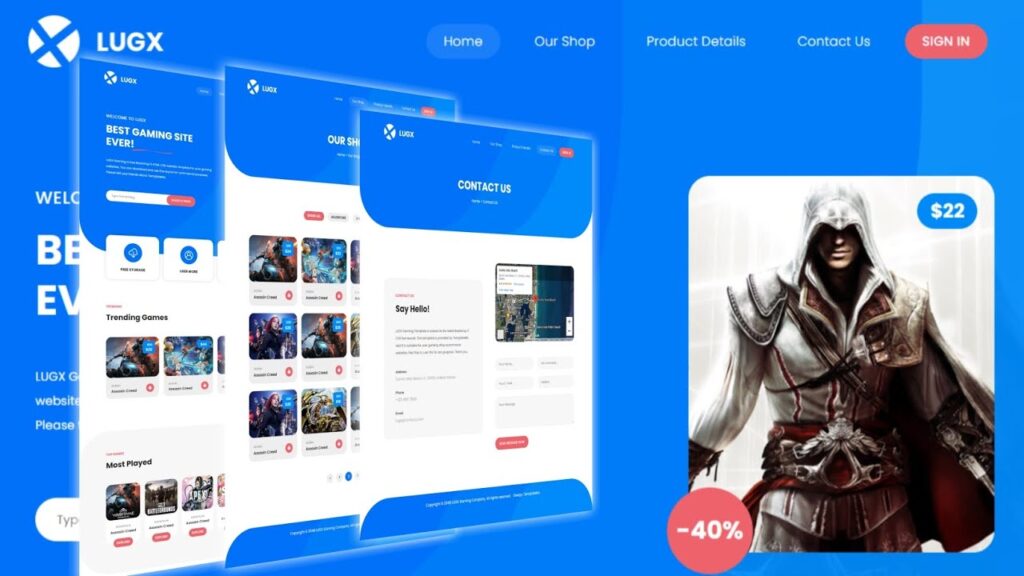
Lugx Gaming Shop website html css javascript | gaming website source code

gaming website template design
Date Of Publish 19/07/2023

432 Downloads

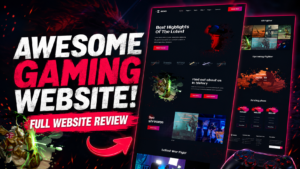
Welcome to Lugx gaming website template, your ultimate destination for all things gaming! Our cutting-edge website template is crafted with gamers in mind, offering an immersive platform to explore the latest games and adventures games, and stay updated on industry news and trends.

Dynamic Content Sections: Discover a variety of dynamic content sections meticulously curated to cater to every gaming interest. From featured games and trending topics to in-depth reviews and exclusive interviews, there’s always something exciting to explore.

Responsive and User-Friendly: Whether you’re browsing on a desktop, laptop, tablet, or mobile device, our website template adapts seamlessly to provide a user-friendly experience across all platforms. Enjoy smooth navigation and fast loading times wherever you are and whenever you need according to your comfrot zone.

Game Reviews and Recommendations: Get the inside scoop on the latest games with our comprehensive reviews and recommendations. Dive deep into gameplay mechanics, graphics, storyline, and more to make informed decisions about your upcoming gaming adventure.

Community Engagement: Connect with like-minded gamers from around the world through our vibrant community forums and social media integration. Share your thoughts, strategies, and experiences, and forge lasting friendships in the gaming community.

Exclusive Content and Rewards: Unlock access to exclusive content, rewards, and giveaways as a valued member of our gaming community. From beta keys and in-game items to expand and special offers, there’s always something exciting waiting for you which will be updated soon.

Secure and Reliable: Rest assured that your privacy and security are our top priorities. Our website template is built with extermely security features and reliable hosting to ensure a safe and secure browsing environment for all users and also safely.

Features of our Free Template

  • Sleek and Engaging Design
  • Responsive Layout
  • Game Reviews and Previews
  • Live Streaming Integration
  • Gaming Events Calendar
  • Gameplay Guides and Tutorials
  • Multiplayer Matchmaking and Clans
  • Performance Optimization
  • User Profiles and Personalization

How to Setup This Project on Your Local Machine

Follow these simple steps to download and run this project on your computer. This guide is beginner-friendly and perfect for students who are learning web development and working on college projects.

Step 1: Download the Project from GitHub
First, open the GitHub repository link of the project.
Click on the Code button and then select Download ZIP to download the project files to your computer.
You can also clone the repository using Git:
git clone https://github.com/rjksharma/project-name.git

Step 2: Extract the ZIP File
If you downloaded the ZIP file, extract it using any file extractor software like:
• WinRAR
• 7-Zip
• Windows Extract Tool
After extracting, open the project folder.

Step 3: Open the Project in VS Code
Download and install Visual Studio Code if you do not already have it installed.
Open VS Code and click on:
File → Open Folder
Select the extracted project folder.

Step 4: Install Live Server Extension
To run the project smoothly in your browser, install the Live Server extension in VS Code.
How to Install:
1. Open VS Code
2. Go to Extensions
3. Search for Live Server
4. Click Install

Step 5: Run the Project
Inside the project folder, locate the index.html file.
Right-click on index.html and select:
Open with Live Server
Your project will automatically open in the browser.

Step 6: Customize the Website
You can now edit:
• Text content
• Images
• Colors
• Sections
• Buttons
• Layout
All files are beginner-friendly and easy to customize for personal projects, portfolio websites, and college submissions

Requirements
Before running the project, make sure you have:
• A modern web browser (Chrome, Edge, Firefox)
• Visual Studio Code
• Internet connection (optional for fonts/icons)

Troubleshooting
If the project is not opening properly:
• Make sure all files are extracted correctly
• Check that index.html exists in the root folder
• Try reopening the project in VS Code
• Ensure Live Server is installed properly

Final Note
This free project source code is shared for educational and learning purposes. Students and beginner developers can use it to improve their frontend development skills and understand real-world website structure and design.