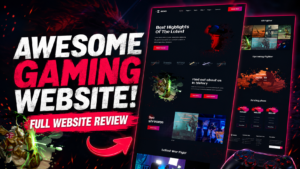
Gaming website template Design | Gaming website HTML, CSS source code for free
809 Downloads
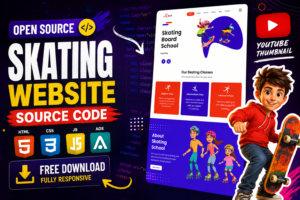
Our website SBS, we’re passionate about skating and committed to providing a safe, supportive, and enjoyable environment for skaters of all ages and skill levels. Whether you’re a beginner looking to take your first glide on the ice or an experienced skater aiming to refine your techniques, our expert instructors are here to help you achieve your goals.
Perfect for those stepping onto the ice for the first time, our beginner skating classes focus on building confidence, balance, and basic skating skills in a fun and encouraging atmosphere. Designed for skaters who have mastered the fundamentals, our intermediate lessons focus on advancing technique, learning new maneuvers, and preparing for more challenging skating experiences.
For experienced skaters looking to elevate their skills to the next level, our advanced training sessions offer personalized coaching, specialized drills, and competitive preparation to help you reach your full potential. Our certified instructors bring years of experience and expertise to every lesson, ensuring you receive the highest quality instruction tailored to your individual needs.
Your safety is our top priority. We maintain a clean, well-maintained facility and adhere to strict safety protocols to provide a secure learning environment for all our students. We believe in fostering a positive and supportive atmosphere where skaters can thrive and grow, building confidence, friendships, and a lifelong love for skating.
Our structured curriculum covers a wide range of skating techniques and disciplines, ensuring a well-rounded learning experience for all our students. With convenient class times and scheduling options, fitting skating lessons into your busy lifestyle has never been easier.
Whether you’re dreaming of Olympic glory or simply looking to have fun on the ice, SBS is here to help you achieve your skating goals. Enroll today and embark on an exciting journey of skill development, personal growth, and endless possibilities on the ice!
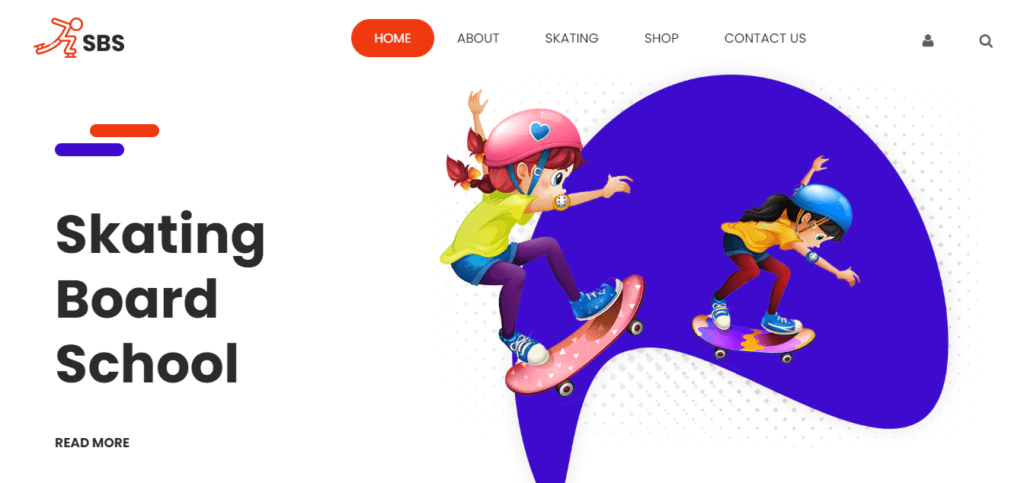
Features of our Free Template
- Homepage with Captivating Imagery
- Classes and Programs
- About Us Section
- Schedule and Calendar
- Registration and Enrollment
- Instructor Profiles
- Facilities and Equipment
- FAQ Section
- Testimonials and Success Stories
- Blog or News Section
- Social Media Integration
- Responsive Design
- Contact Information and Location
- Safety Information
- Gallery or Portfolio
Local Setup Guide
Follow these simple steps to download and run this project on your computer. This guide is beginner-friendly and perfect for students who are learning web development and working on college projects.
Step 1: Download the Project from GitHub
First, open the GitHub repository link of the project.
Click on the Code button and then select Download ZIP to download the project files to your computer.
You can also clone the repository using Git:
git clone https://github.com/rjksharma/project-name.git
Step 2: Extract the ZIP File
If you downloaded the ZIP file, extract it using any file extractor software like:
• WinRAR
• 7-Zip
• Windows Extract Tool
After extracting, open the project folder.
Step 3: Open the Project in VS Code
Download and install Visual Studio Code if you do not already have it installed.
Open VS Code and click on:
File → Open Folder
Select the extracted project folder.
Step 4: Install Live Server Extension
To run the project smoothly in your browser, install the Live Server extension in VS Code.
How to Install:
1. Open VS Code
2. Go to Extensions
3. Search for Live Server
4. Click Install
Step 5: Run the Project
Inside the project folder, locate the index.html file.
Right-click on index.html and select:
Open with Live Server
Your project will automatically open in the browser.
Step 6: Customize the Website
You can now edit:
• Text content
• Images
• Colors
• Sections
• Buttons
• Layout
All files are beginner-friendly and easy to customize for personal projects, portfolio websites, and college submissions
Requirements
Before running the project, make sure you have:
• A modern web browser (Chrome, Edge, Firefox)
• Visual Studio Code
• Internet connection (optional for fonts/icons)
Troubleshooting
If the project is not opening properly:
• Make sure all files are extracted correctly
• Check that index.html exists in the root folder
• Try reopening the project in VS Code
• Ensure Live Server is installed properly
Final Note
This free project source code is shared for educational and learning purposes. Students and beginner developers can use it to improve their frontend development skills and understand real-world website structure and design.